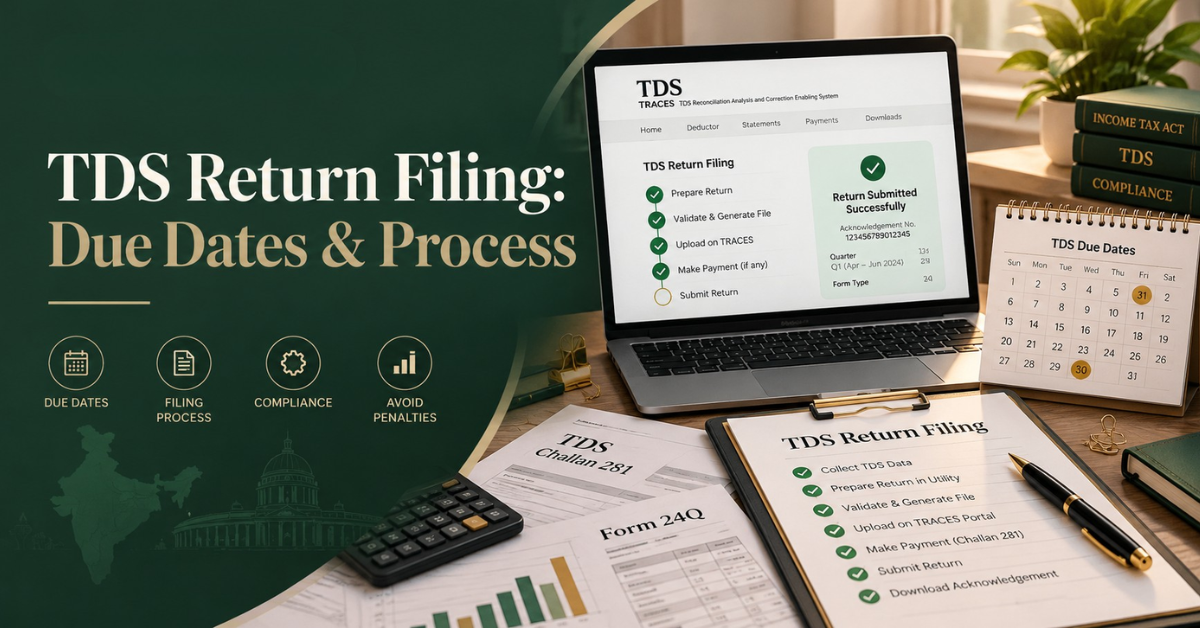
Your Q2 TDS statement is due on 31st October 2026. That date is on a Saturday and is just 3 weeks away. Meanwhile, the forms you filed for years have new numbers. And a new online route has surfaced.
So what’s different, and what do you need to do? This guide explains the due dates, the new forms, how to file, late fees, and common mistakes. Let’s break it down.
Table of Contents
Quick Answer: What Is TDS Return Filing?
The filing of a TDS return is the filing of a quarterly statement with the Income Tax Department. It displays the tax deducted at source by you on salaries & other payments, the challans on which you deposited the same, and the details of each person whom you paid. Every deductor having a TAN has to file one each quarter.
You deposit the TDS monthly and report it quarterly. The Q2 return is due on October 31, 2026, with a deposit for tax withheld in September 2026 due on October 7, 2026.
New TDS Forms for Tax Year 2026-27
The Income Tax Act, 2025, came into force from 1st April, 2026. The content of each statement is largely unchanged, but form numbers have been changed. So here is the mapping:
| Purpose | Old form | New form |
|---|---|---|
| Salary TDS | 24Q | Form 138 |
| TDS on non-salary payments to residents | 26Q | Form 140 |
| TDS on payments to non-residents | 27Q | Form 144 |
| Tax collected at source (TCS) | 27EQ | Form 143 |
One practice guide says corrections to periods under the 1961 Act are still done on the old forms, even if you send them in after 1 April 2026. So a late fix for FY 2025-26 is still using the old form numbers. Some websites print different numbers for non-resident statements, so check the Income Tax Department’s forms page before you file.
TDS Return Due Dates for 2026-27
TDS returns are due on a fixed quarterly calendar. The Q1 to Q4 due dates are 31 July, 31 October, 31 January, and 31 May.
| Quarter | Period | Due date |
|---|---|---|
| Q1 | April to June 2026 | 31 July 2026 |
| Q2 | July to September 2026 | 31 October 2026 |
| Q3 | October to December 2026 | 31 January 2027 |
| Q4 | January to March 2027 | 31 May 2027 |
Keep in mind these points:
- First deposits: TDS deposits are made monthly, typically by the 7th of the following month. When you go back, you only get what you put in.
- TCS will have the same dates: The Form 143 has now been provided with the quarterly timeline instead of the old mid-month date for Form 27EQ in the TCS statement.
- Submit early: Q2 is a Saturday. Plan to complete it mid-week so that a portal glitch doesn’t cost you a late fee.
Who Must File a TDS Return?
All companies, LLPs, firms, trusts, and proprietors having a TAN and deducting tax on salaries, contractor payments, professional fees, rent, interest, or commission must file, and there is no threshold size. A startup that pays a couple of salaries and a freelance designer qualifies. So does a small firm that pays office rent above the cap.
What to Keep Ready Before You File
First, gather these things:
- Log in to Active TAN and TRACES
- Deposit details (BSR code, serial number, date, amount)
- Deductee-wise data: PAN, Name, Section, Payment Date, Amount, Tax Deducted
- Details of certificate for any lower/nil deduction
- Mobile linked to Aadhaar or registered digital signature certificate (DSC) for e-verification
How TDS Return Filing Works: Step by Step
You’ve got two choices now. Select the one that suits your volume and software.
Route 1: File Online on TRACES (New From Q2)
A note from a CA firm in October 2026 says that, from Q2, statements can be prepared, validated, and filed directly from within the deductor’s TRACES login without the need for a separate return file. Here’s the flow:
- 1. Log in with your TAN.
- 2. Go to e-File and View, open the filing menu, and click on File TDS/TCS Forms and Statements.
- 3. Select the form (138 or 140), tax year 2026-27, quarter, and regular.
- 4. Verify the pre-populated information for the deductor and responsible person.
- 5. Add/import challans. Retyping is avoided, as unused challans can be imported into the portal.
- 6. You can enter or upload deductees one at a time or in bulk through a CSV format.
- 7. Match each deductee with a challan and resolve any differences.
- 8. Check the sentence and correct any mistakes.
- 9. E-verify and file with Aadhaar OTP or DSC and keep the acknowledgement.
In the same note, it says you can save a draft and come back to it later. It also says that an admin can review work a sub-user prepares.
Route 2: Use the Utility and Upload an FVU File
Larger deductors are generally pleased with their payroll or accounting software. The official Form 140 guidance describes the preparation of the statement using the Return Preparation Utility (RPU), the validation of the statement using the File Validation Utility (FVU), and the uploading of the resulting .fvu file at the e-filing website or at a TIN facilitation center.
You log in to the portal with your TAN, go to e-File, then Income Tax Forms, then File Income Tax Forms, choose the form, tax year, quarter, and upload type (regular or correction), and upload the zip file with your FVU file.
Keep an eye on your software versions. Protean’s download page indicates a separate FVU version for statements from tax year 2026-27 and warns that replacing the JAR file in an old folder could result in rejection. Download the latest full package.
Late Fees, Interest, and Penalties
There are three ways in which you will lose money if you miss the date.
- Late filing fee: The fee is ₹200 per day of delay from the due date to the date of filing and cannot exceed the total tax deducted or collected in the return.
- Interest on late deposits: Interest is at 1.5 per cent per month or part of a month from the date of deduction, and a one-day delay in deposit can cost a full month’s interest.
- Personal penalties: The same source also points out additional penalty exposure for non-filing or incorrect information.
Here’s a quick fictional example. Suppose your Q2 return shows TDS of ₹30,000, and you file it 20 days late. The fee is ₹4,000 (₹200 x 20), much below the cap of ₹30,000. File 200 days late, pay a fee up to the cap of ₹30,000.
After You File: Processing, Certificates, and Corrections
Filing is not the finish. After the statement is submitted, the department processes the statement in CPC-TDS. The result can be with or without defaults. In case of defaults, you must file a correction statement.
Then the certificates. TRACES now generates Form 131 for non-salary TDS, replacing the earlier Form 16A. The old Form 16 is now Form 130 for wages. Distribute them on time so your payees can claim credit.
If an error is made, follow the department’s process for error correction. You download the consolidated TDS file from TRACES, import it, and make the correction. Only provide the records that need to be changed, validate through FVU, and submit through a TIN facilitation centre or Protean. A filed statement cannot be reopened. Correction is the only way.
Common TDS Return Mistakes to Avoid
- Old form numbers for 2026 to 2027 tax year periods.
- Mixing FVU versions. The Form 140 manual lists several reasons for rejection: FVU files that are invalid or don’t match, an incorrect tax year, or filing a correction file as a regular return.
- Challan mapping skipped. The same CA note also suggests books, TDS working, challans, deductee statement, and mapped TDS should match before filing.
- Leaving e-verification for the last day. Check your Aadhaar link/DSC beforehand.
- Skipped invalid PANs. They may lead to higher deductions and notices later.
- Assuming that the 15th is still the TCS date. The date was altered.
A Simple Quarterly TDS Checklist
When you pay or credit, deduct at the proper rate and in the proper section.
- Deposit by the 7th of the next month.
- Every month, match your books with the challans.
- Collect and validate PAN before quarter end.
- File the statement before the deadline.
- Issue certificates. Track any default notices.
Small teams tend to farm this work out to specialists. GST & TDS Compliance and Accounting and Tax Compliance under the Virtual CFO and Tax vertical on The Startup Gig’s homepage. This is evidence of how finance and tax tasks bundle up for startups. Clean monthly closes mean faster quarterly closes.
Contracts Matter Also. The payment terms must specify if fees are gross or net of TDS and who pays if a payee’s PAN is missing. The Startup Gig reviews vendor and service agreements for liability caps, termination rights, etc., and counterparty drafts for hidden obligations. A lawyer can advise you on payment clauses that work for your deal.
Stay on Top of TDS Return Filing and Tax Compliance
Explore GST & Tax Compliance Services
Wrapping Up
Filing a TDS return follows a simple pattern: deduct, deposit, report, and certify. The screens are not your responsibility; the new forms and the TRACES route change them. Reconcile each quarter, file by the deadline, and amend any errors with a correction statement. A good next stop for plain-language guides on contracts and compliance is the blog on The Startup Gig’s website. This article provides general information and not tax advice, so speak with a qualified professional about your own case.
Need Help with TDS Return Filing or Due Dates?
Talk to Our Team
FAQs
What is the due date for the Q2 TDS return for 2026-27?
The Q2 return for the period July to September 2026 is due on 31 October 2026. The last date is a Saturday. So, file your returns during the week to avoid any glitches in the portal and a daily fine of ₹200.
Is TDS return filing monthly or quarterly?
Quarterly. You deposit TDS every month (usually by the 7th of the next month), but you file all the deposits in one statement every quarter. The due dates are July 31, October 31, January 31, and May 31.
What is the penalty for filing a TDS return late?
The late fee is ₹200 per day from the due date till the date of filing, with the maximum penalty being tax in the return. You may also be charged interest on a late deposit and separate penalties for not filing or for mistakes.
Which form replaces Form 26Q?
Form 140 replaces Form 26Q. Non-salary payments to residents from FY 2026-27: Form 138 (for salary), Form 144 (for non-residents), and Form 143 (for TCS) are substitutes for 24Q, 27Q, and 27EQ, respectively.
Can I file my TDS return online myself?
Yes. For e-verification, you will require TAN, TRACES login, challan and deductee data, and Aadhaar OTP or DSC. From Q2 onwards, you can prepare and file directly on TRACES or opt for the utility route with an FVU file.